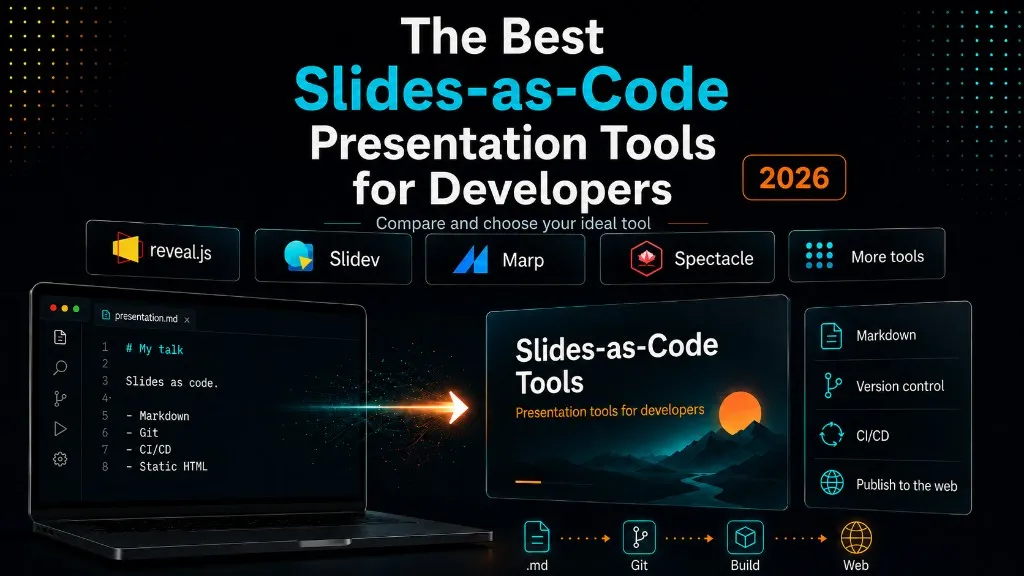
The Best Slides-as-Code Presentation Tools for Developers
If you’ve ever built a presentation in PowerPoint, Google Slides, Keynote, or similar tools, you know the manual work: dragging boxes, designing every slide by hand, nudging images pixel by pixel, losing formatting on every paste, and no version control. You can git diff your source code — but not your slides.
Slides-as-code is the alternative: write your slides as code — Markdown in your IDE, version-controlled, CI/CD-friendly, and shareable as static HTML. In the age of agents, that matters even more — the format is text-based and structured, so agents can draft decks with near-zero error rate while I focus on the narrative.

Before building a slide system into my Astro site, I evaluated every serious option in this space. This post is that comparison — the criteria, the tools, and the tradeoffs that led to my pick.
What Makes a Good Slides-as-Code Tool?
Before diving into tools, here’s what I was evaluating:
- Markdown support — Can I write slides in
.mdfiles without leaving my editor? - Code highlighting — Syntax highlighting with stepped reveal (highlight lines progressively)?
- Math support — KaTeX or MathJax for equations?
- Theming — CSS-based themes that match my site’s design system?
- PDF export — For conferences that require PDF submissions?
- Framework dependency — Does it force me into React, Vue, or another runtime?
- Embeddability — Can I embed the output inside an existing website (not just as a standalone app)?
- Git-friendliness — Is the source format diffable, mergeable, reviewable?
- Active maintenance — Is the project still maintained?
- Learning curve — How fast can I go from zero to first deck?
Reveal.js — The Veteran
revealjs.com · ~72k GitHub stars · Vanilla JavaScript · v6.0.1 (April 2026)
Reveal.js is the grandfather of web-based presentations. Created by Hakim El Hattab almost 15 years ago, it remains the most starred HTML presentation framework by a wide margin.
What makes it stand out:
- Zero framework dependency. Vanilla JS. Works with Astro, Next, Svelte, plain HTML — anything that serves a webpage.
- Plugin ecosystem. Markdown, syntax highlighting, math (KaTeX/MathJax), speaker notes, multiplexing, search — all as composable plugins.
- Fragment system. The most expressive click-to-reveal system:
fade-up,fade-in-then-out,grow,shrink,highlight-red,strike, with explicit ordering viadata-fragment-index. - Auto-animate. Magic-move transitions between slides via
data-idmatching. - Code highlight with stepped reveal. Write
```js [1-3|5|7-9]` and Reveal steps through highlighted line ranges on each click. - Fullscreen backgrounds. Color, image, video (with loop/muted), or even a live iframe as a slide background.
- PDF export. Append
?print-pdfto any deck URL and Chrome prints it perfectly. - v6. The latest release brought Vite-based builds, TypeScript types included in the package, and an official React wrapper.
The tradeoff: Compared to other tools, Reveal asks for a bit more initial setup and has a slightly steeper learning curve. Slides are HTML <section> elements (with an optional Markdown plugin), so you’re closer to the metal. The upside is total control.
Best for: Highly customized presentations, portfolio showcases, embedding inside existing websites, teams that need plugin extensibility without framework lock-in.
Slidev — The DX King
sli.dev · ~48k GitHub stars · Vue 3 + Vite
Slidev is what happens when someone says “what if the IDE experience for slides was as good as for code?” It’s purpose-built for developers presenting technical content, and it shows.
What makes it stand out:
- Vue components inline. Drop
<Tweet id="..." />,<Youtube id="..." />, or any Vue component directly into your Markdown slides. - Shiki code highlighting with animations. Line-by-line highlighting that animates, not just toggles.
- Monaco editor. Embed a live VS Code-like editor in your slides for live coding demos.
- Built-in recording. Record your presentation with webcam overlay and export as video.
- Mermaid diagrams. Native support for sequence diagrams, flowcharts, etc.
- Themes as npm packages. Community themes installable via
npm install. - LLM-friendly syntax. The Markdown format is so structured that AI assistants generate valid Slidev decks almost every time.
The tradeoff: Slidev is a standalone Vue/Vite application, not a library you embed. You run slidev build and get a static SPA. If you want slides inside an existing non-Vue website (like an Astro or Next.js site), you’d need to maintain a separate build pipeline, lose your host site’s Content Collections, i18n system, theme toggle, SEO/AEO infrastructure, and sitemap integration.
Best for: Developer conference talks where the deck IS the product. Teams already on Vue. Speakers who want recording and live coding built in.
Marp — The Minimalist
marp.app · ~3.8k stars (CLI) · Marpit framework · CommonMark
Marp is the tool that proves constraints breed clarity. Write CommonMark Markdown. Add a YAML frontmatter for theme and pagination. Use --- to separate slides. Done.
What makes it stand out:
- Flattest learning curve. If you know Markdown, you know 95% of Marp.
- VS Code extension. Live preview as you type, with hot reload.
- PPTX export. The only tool on this list that exports directly to PowerPoint.
- CI/CD integration. Marp + GitHub Actions = slides auto-rendered on every push. Treat decks as build artifacts alongside your documentation.
- Near-zero LLM error rate. The format is so minimal that AI tools almost never produce invalid Marp Markdown.
- Morphing animations (v4+). Named elements can animate between slides — a lighter version of Reveal’s auto-animate.
The tradeoff: Limited interactivity. No fragments (progressive reveal on click). No live code demos. The styling system is powerful (full CSS) but the defaults are presentation-grade, not web-experience-grade. If you need “wow factor,” Marp might feel too restrained.
Best for: Quick Markdown-to-PDF slide decks. Sprint review decks. Documentation-as-slides. Teams that want slides in their CI pipeline with zero ceremony.
Spectacle — The React Native
formidable.com/open-source/spectacle · ~10k GitHub stars · React 18+
Spectacle takes the opposite approach from Marp: if you know React, you already know Spectacle. Slides are JSX components.
What makes it stand out:
- Full React ecosystem. Any React library works in your slides — charts, maps, data viz, interactive demos.
- Live code preview. Show running code alongside its source, editable in real-time.
- Markdown support. Via
MarkdownSlideSetcomponent, for those who prefer writing over JSX. - Multiple starter templates. One-page HTML, Markdown, Vite, or webpack.
- Active maintenance. v10.2.3 (Oct 2025), 180+ contributors over 10 years.
The tradeoff: Requires React 18+. The bundle is heavier than Reveal or Marp. If your site isn’t React, adding Spectacle means adding a second framework runtime. The JSX-first authoring model is powerful but has a steeper learning curve for non-React developers.
Best for: React teams who want slides that feel like their product code. Presentations with heavy interactive elements or data visualization.
Honorable Mentions
Impress.js (~38k stars) — The Prezi-like experience in vanilla JS. Slides positioned in 3D space with CSS transforms. Spectacular for spatial storytelling, but niche. HTML-only authoring (no Markdown), reduced maintenance activity.
WebSlides (~6k stars) — Beautiful defaults with 40+ reusable components. Horizontal and vertical navigation. Less actively maintained but still functional. HTML authoring required.
Pandoc + Beamer — The LaTeX pipeline. Write Markdown, convert to Beamer PDF via Pandoc. Ideal for academia. Not web-native.
The Full Comparison
| Feature | Reveal.js | Slidev | Marp | Spectacle |
|---|---|---|---|---|
| Technology | Vanilla JS | Vue 3/Vite | Node.js | React 18+ |
| Markdown | Plugin | Native | Native | Component |
| Framework dep. | None | Vue | None | React |
| Code highlight | Stepped reveal | Shiki animations | Basic | Live preview |
| Math | KaTeX/MathJax | KaTeX | MathJax/KaTeX | Limited |
| Fragments | Rich | Basic | No | Basic |
| Auto-animate | Yes | Yes | Morphing (v4) | No |
| PDF export | ?print-pdf |
Yes | Native (+ PPTX) | Yes |
| Embeddable | Yes | No (standalone) | Limited | No (standalone) |
| VS Code ext. | No | No | Yes | No |
| Recording | No | Built-in | No | No |
| GitHub stars | ~72k | ~48k | ~3.8k | ~10k |
| Learning curve | Medium | Medium (Vue helps) | Low | Medium (React) |
Coding agents — native capabilities for building decks
Claude Code
No framework needed: coding agents like Claude now ship with native capabilities to build complete decks. In Claude Code, Anthropic’s coding agent, those capabilities arrive through two tools — Claude Design and Artifacts — and with them the agent puts a deck together end to end, no skill to install. From there, the spectrum runs from the coding agent that ships without ever leaving your repo to the conversation that ends in an export. Here’s the 2026 landscape.
Claude Design
claude.ai/design · Anthropic Labs
Claude Design is Anthropic’s conversational design tool. You describe the deck in plain language — “a 10-slide Q1 results deck, dark theme, our brand fonts” — and it generates a complete deck you refine slide by slide, in the same conversation.
What makes it stand out:
- Interactive HTML output. Decks render as live HTML, not static images — including animations that carry storytelling across slides.
- Brand-aware. With a design system configured, slides automatically match your colors, typography, and assets.
- Real export options. Standalone HTML, PPTX, PDF, send to Canva — or hand the deck off to Claude Code to keep iterating in a repo.
- Collaborative. Share with view, comment, or edit permissions; several people can chat with the agent in the same thread.
The tradeoff: It’s design-first, not git-first. The source of truth lives in the conversation until you export — there’s no diffable Markdown underneath.
Best for: Polished decks on a deadline, teams without a designer, the 80% of presentations that never needed a custom theme system.
Claude Artifacts
On any Claude plan — free included — you can generate a full HTML slide deck as an artifact, preview it live in the chat, and iterate conversationally. It’s the fastest path from “I have an outline” to “I have something presentable,” and you can download the standalone HTML when it’s good enough.
The tradeoff: Every deck is bespoke HTML. No plugin ecosystem, no theming system, nothing reusable across decks.
Best for: One-off decks, internal presentations, prototyping a narrative before committing to a real tool.
Cursor — Canvases to iterate, repo to ship
Cursor — the AI-first code editor — does have canvases now: interactive artifacts the agent opens alongside the chat when a result is better seen than read — dashboards, reports, analyses — re-runnable with fresh data, with the source editable one click away. For sketching how a deck should feel before writing it, that’s a good place to think.
What the canvas doesn’t give you is publishing: it lives in your Cursor workspace, and sharing it creates a snapshot link inside their ecosystem (on paid plans). The full loop still runs through the frameworks above: Cursor’s agents write decks in Slidev, Marp, or Reveal inside your repository, and publishing is a commit, not a link. Canvas to iterate; repo to ship.
Best for: Teams already living in Cursor who want decks to flow through their normal review process.
Gemini Notebook — The grounded one
Google’s research notebook · Formerly NotebookLM, renamed July 2026
NotebookLM became Gemini Notebook in July 2026 — same product, deeper Google integration. For presentations, the headline feature is Slide Decks: point it at the sources in your notebook and it generates a full deck, with visuals from Google’s Nano Banana Pro image model. Since March 2026 you can revise any slide by prompt and export as PPTX or PDF. And when a deck isn’t the right medium, Video Overviews (including the Cinematic variant) turn the same sources into narrated video.
What makes it stand out:
- Grounded generation. Every deck is built from your sources — docs, papers, notes — not from the model’s general knowledge.
- A real editing loop. Per-slide revisions by prompt; each regeneration lands as a new deck you can compare against.
- PPTX and PDF export. For all users since March 2026.
- Video too. Narrated slideshows and Cinematic Video Overviews from the same sources.
The tradeoff: The deck style is consumer-grade, not a design system you control. And it’s the opposite of code — nothing to diff, nothing to version.
Best for: Research-to-deck workflows, study material, turning a pile of documents into a presentation or a narrated video.
ChatGPT Images — The honorable mention
Everything above in this section is slides-as-code; this one isn’t, but it earned its slot. ChatGPT’s image generator reached the point where a complete deck — image by image — comes together fast and with remarkably high quality: you describe the slide, iterate the description, and the visual deck is ready without writing a line of Markdown. I’ve generated whole decks this way, and I think it’s one of the best generators we have to date.
And the nuance that brings it close to this world: the deck isn’t code, but the prompt that generates each image is. Good prompts get written, polished, versioned. The interface changes; the discipline stays the same.
Online and AI-Powered Platforms
Not everything needs to be code. When AI presentations are the pragmatic answer, these platforms make more sense:
| Platform | Strength | Best For |
|---|---|---|
| Gamma | Generate full decks from text prompts | Quick AI-generated presentations for meetings |
| Pitch | Real-time collaborative editing | Team pitch decks, investor presentations |
| Beautiful.ai | AI layout engine that auto-arranges content | Design-heavy decks without a designer |
| slides.com | WYSIWYG editor built on Reveal.js by the same author | Reveal-style decks without writing code |
| Google Slides | Universal compatibility, easy sharing | Corporate environments, cross-team collaboration |
| Canva | Massive template library | Non-technical presenters, social media content |
| Claude Design | Conversational, brand-aware deck generation | Polished HTML/PPTX decks without touching code |
| Gemini Notebook | Decks and videos grounded in your own sources | Research-backed decks, narrated overviews |
These platforms solve different problems than slides-as-code. If your audience is investors or a non-technical team, Google Slides or Pitch might be the pragmatic choice. If your audience is developers and your content is code, the slides-as-code tools above are what you want. And the line keeps blurring: Claude Design exports standalone HTML and Gemini Notebook exports PPTX, so the agentic tools are often just one export away from the code world.
My Pick — and Why (Slides-as-Code Inside My Own Site)
I wanted to integrate a slides-as-code system into my own site for my tech talks — to have xergioalex.com itself host the decks, not an external service. That’s why I chose Reveal.js.
The deciding factor wasn’t that Reveal has the best DX (Slidev wins there) or the flattest learning curve (Marp wins). It was embeddability.
I needed slides to live inside my Astro website — as first-class content, with the same multilingual support, the same theme system, the same SEO and AEO infrastructure as my blog posts. Reveal is vanilla JS that I can initialize in a Svelte component, inside an Astro layout, importing CSS only on deck pages. No second framework runtime. No separate build pipeline.

An agent being able to create and publish the deck hasn’t changed that conclusion — it strengthened it. When an agent can author the deck, the format you choose is the interface, and a diffable Markdown file is the interface both humans and agents review best. Agents write bespoke HTML too, but nobody wants to review that diff.
In the next post in this series, I’ll walk through exactly how I built it: a three-type deck catalog with discriminated-union schemas, build-time Markdown rendering, asset isolation, AEO twins, and live dark/light theme sync.
Resources
- Reveal.js — Official site
- Slidev — Official site
- Marp — Official site
- Spectacle — Official site
- Impress.js — Official site
- WebSlides — Official site
- Pandoc — The universal document converter (the Beamer pipeline)
- Claude Design — Anthropic’s conversational deck tool
- Claude Artifacts — HTML decks in the chat, zero setup
- Claude Code — Anthropic’s coding agent
- Cursor — AI-first code editor
- ChatGPT Images — OpenAI’s image generator
- Gemini Notebook — decks and videos grounded in your own sources (formerly NotebookLM)
- Gamma — AI presentation platform
- Pitch — Collaborative presentations
- slides.com — Visual editor built on Reveal.js, by the same author
- Beautiful.ai — AI design engine that auto-arranges content

Sergio Alexander Florez Galeano
CTO & Co-founder at DailyBot
Colombian software engineer and entrepreneur (DailyBot, YC S21). I write about AI agents, developer tools, startups, and the craft of software engineering — and I build this site in the open at XergioAleX.com.
Stay in the loop
Get notified when I publish something new. No spam, unsubscribe anytime.
No spam. Unsubscribe anytime.